
The Ultimate Guide to Maintaining Your Brushless Cordless Drill
Jun 14,2026
The Ultimate Guide to Maintaining Your Brushless Cordless Drill
Table of Contents
- 1. Introduction to Brushless Cordless Drills
- 2. Understanding Brushless Technology
- 3. Importance of Regular Maintenance
- 4. Essential Maintenance Tips for Your Drill
- 4.1 Cleaning Your Drill
- 4.2 Caring for Your Battery
- 4.3 Inspecting Drill Parts
- 4.4 Proper Storage Techniques
- 4.5 Understanding Regular Use
- 5. Troubleshooting Common Issues
- 6. Advanced Maintenance Techniques
- 7. When to Seek Professional Help
- 8. Conclusion
- FAQs
1. Introduction to Brushless Cordless Drills
Brushless cordless drills are revolutionizing the DIY and professional tool market. They offer superior performance, longer battery life, and less maintenance compared to traditional brushed motors. Understanding how to maintain these advanced tools is crucial for both longevity and efficiency. In this guide, we will explore the essential steps you can take to keep your brushless cordless drill in top working condition.
2. Understanding Brushless Technology
Brushless technology eliminates the friction and wear associated with traditional brushed motors. Instead of brushes, these drills use electronic controllers to manage power input and motor speed. This results in enhanced efficiency, reduced heat generation, and longer operational life.
Advantages of Brushless Motors
- **Increased Efficiency**: Brushless drills operate at higher speeds and produce more torque.
- **Longer Battery Life**: They draw less power from the battery, extending usage time.
- **Reduced Maintenance**: Fewer moving parts mean less wear and tear.
3. Importance of Regular Maintenance
Regular maintenance is key to ensuring your brushless cordless drill performs optimally. Neglecting to care for your tool can lead to decreased performance, safety hazards, and costly repairs. By understanding the importance of maintenance, you can prolong the life of your drill and enhance its reliability.
Benefits of Maintaining Your Drill
- **Improved Performance**: A well-maintained drill operates more efficiently, providing better results.
- **Cost Savings**: Regular maintenance prevents expensive repairs and replacements.
- **Safety Assurance**: A maintained tool reduces the risk of accidents caused by malfunctioning parts.
4. Essential Maintenance Tips for Your Drill
Maintaining your brushless cordless drill doesn't have to be a daunting task. Here are some essential maintenance tips to keep your drill running smoothly.
4.1 Cleaning Your Drill
Regular cleaning helps prevent dust and debris from accumulating in sensitive areas.
- **External Cleaning**: Wipe the exterior with a damp cloth after each use to remove dust and grime.
- **Internal Cleaning**: Every few months, use compressed air to blow out dust from vents and motor housing.
4.2 Caring for Your Battery
The battery is a critical component of your cordless drill. Proper care is essential for longevity.
- **Avoid Complete Discharge**: Recharge the battery before it completely discharges to maintain its health.
- **Store at Optimal Temperature**: Keep batteries in a cool, dry place to prevent damage.
4.3 Inspecting Drill Parts
Regular inspection of your drill's parts can identify potential issues before they escalate.
- **Chuck Inspection**: Ensure the chuck tightens securely and is free from debris.
- **Belt and Grip Check**: Inspect the grip for wear and the belt for any signs of damage.
4.4 Proper Storage Techniques
Where and how you store your drill is crucial for its upkeep.
- **Dry Environment**: Store in a moisture-free location to prevent rust and corrosion.
- **Use a Case**: Consider using a case to protect your drill and accessories from accidental damage.
4.5 Understanding Regular Use
Using your drill appropriately can significantly impact its lifespan.
- **Avoid Overloading**: Never use the drill beyond its intended capacity to prevent overheating.
- **Follow Manufacturer's Guidelines**: Always adhere to the instructions provided by the manufacturer for optimal performance.
5. Troubleshooting Common Issues
Sometimes, despite our best efforts, issues can arise. Here’s how to troubleshoot common problems with brushless cordless drills.
Common Issues and Solutions
- **Drill Won't Start**: Check the battery charge and ensure it is properly connected.
- **Overheating**: This can result from overloading or prolonged use. Allow the drill to cool down before resuming work.
- **Reduced Power**: If you notice a drop in power, clean the vents and ensure the battery is fully charged.
6. Advanced Maintenance Techniques
For those who want to take their maintenance practices a step further, consider these advanced techniques.
Calibration and Adjustment
- Ensure that the drill's torque settings are calibrated for the specific tasks you are undertaking. Refer to the user manual for guidance on making adjustments.
Software Updates
- If your cordless drill comes with smart technology, ensure the software is updated regularly. This can enhance functionality and performance.
7. When to Seek Professional Help
While many maintenance tasks can be performed at home, some issues may require professional assistance.
Signs It's Time to Consult a Professional
- **Persistent Malfunctions**: If problems persist after troubleshooting, it's time to consult a professional.
- **Physical Damage**: Any visible damage to the drill or battery should be evaluated by an expert to prevent further issues.
8. Conclusion
Maintaining your brushless cordless drill is essential for ensuring its longevity and optimal performance. By following the comprehensive maintenance tips outlined in this guide, you can keep your tool in peak condition and ready for any project. Regular care, proper storage, and timely inspections will not only save you money in the long run but also enhance your overall experience with this powerful tool.
FAQs
1. How often should I clean my brushless cordless drill?
It's recommended to clean your drill after every use, focusing on both external and internal components.
2. Can I use any battery with my brushless cordless drill?
No, always use the battery specified by the manufacturer for your specific drill model to ensure compatibility and safety.
3. What should I do if my drill won't hold a charge?
If your drill won't hold a charge, check the battery for damage or consider replacing it if it's old or degraded.
4. How can I improve the lifespan of my cordless drill?
Regular maintenance, proper storage, and using the drill within its intended capacity can greatly improve its lifespan.
5. Is it safe to use my cordless drill in wet conditions?
Generally, it's not recommended to use power tools in wet conditions due to safety hazards such as electric shock. Always refer to the manufacturer's guidelines.
Latest Blogs

Understanding the Advantages of Brushless Lithium Impact Screwdrivers
Brushless lithium impact screwdrivers are becoming increasingly popular in various manufacturing and processing sectors due to their advanced technology and efficiency. Unlike traditional brushed motors, brushless motors offer improved performance, longevity, and reliability, making them an essential tool in the modern toolkit. One of the key advantages of brushless lithium impact screwdrivers is
29 Jul,2026
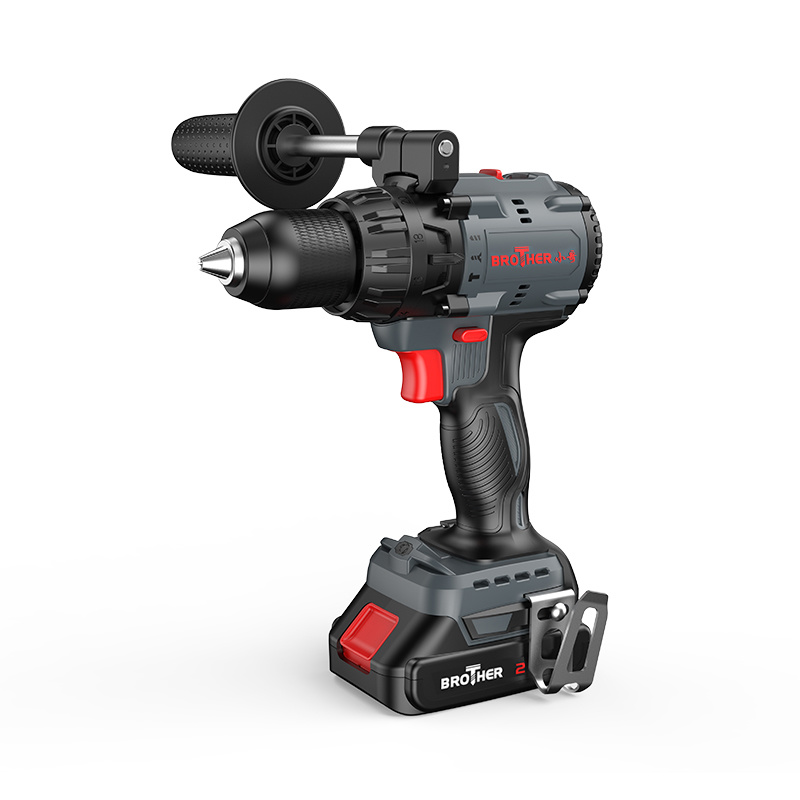
How Brushless Cordless Drills Are Revolutionizing Home Improvement Projects
How Brushless Cordless Drills Are Revolutionizing Home Improvement Projects Introduction to Brushless Cordless Drills In the world of home improvement, the tools we use significantly influence the quality and efficiency of our projects. **Brushless cordless drills** have surged in popularity, heralding a new era for both DIY enthusiasts and professional contractors. These innovative tools are
26 Jul,2026

Unlocking the Power of Brushless Lithium Drills: A Comprehensive Guide
Brushless lithium drills are at the forefront of modern electric tool technology, offering numerous advantages over traditional brushed motor drills. One of the most significant benefits is their efficiency. Brushless motors eliminate the friction and wear associated with brushes, leading to a longer lifespan and reduced maintenance requirements. This is particularly advantageous for professionals
23 Jul,2026